
Content Creation Automation: Best Tools and Workflows (2026)

- Content creation automation covers the full pipeline from ideation and drafting to formatting, SEO optimization, and publishing across every content type: blog posts, social media, product descriptions, SEO landing pages, and email.
- Most AI writing tools handle one format well. The highest-ROI setups chain specialized tools together into a repeatable pipeline that processes dozens or hundreds of content items at once.
- For e-commerce and multi-platform agencies managing 100 or more content items at a time, a structured CSV-based workflow outperforms chat-based tools on consistency, speed, and cost.
- The single biggest mistake agencies make: automating output without standardizing input. Structured data sources (product CSVs, keyword lists, content briefs) are what make AI pipelines scalable and consistent.
- Human review remains non-negotiable. Automate drafting, not final publication.
What Is Content Creation Automation?
Content creation automation is the use of AI tools and structured workflows to produce, optimize, and distribute content at scale, replacing manual effort at each step of the pipeline.
It covers the full stack: collecting and structuring input data, generating first drafts, formatting for different channels, optimizing metadata for search, and scheduling or publishing the output. In 2026, the most effective setups chain multiple specialized tools together so a single structured input can produce hundreds of formatted content items in one job.
This article covers the best tools for each stage of that pipeline, how they compare, and how to build a workflow that actually scales. For a deeper look at automating one specific format, see our guide on automating blog post creation with AI.
How a Content Automation Pipeline Works
Before choosing tools, it helps to understand the four stages every automated content pipeline moves through:
```mermaid flowchart LR A[Structured Input\nCSV / Brief / Keyword List] --> B[AI Generation\nChained Prompt Steps] B --> C[Quality Gate\nHuman Review] C --> D[Distribution\nPublish / Schedule / Export] D --> E[Analytics Feedback\nRefine Prompts] E --> A ```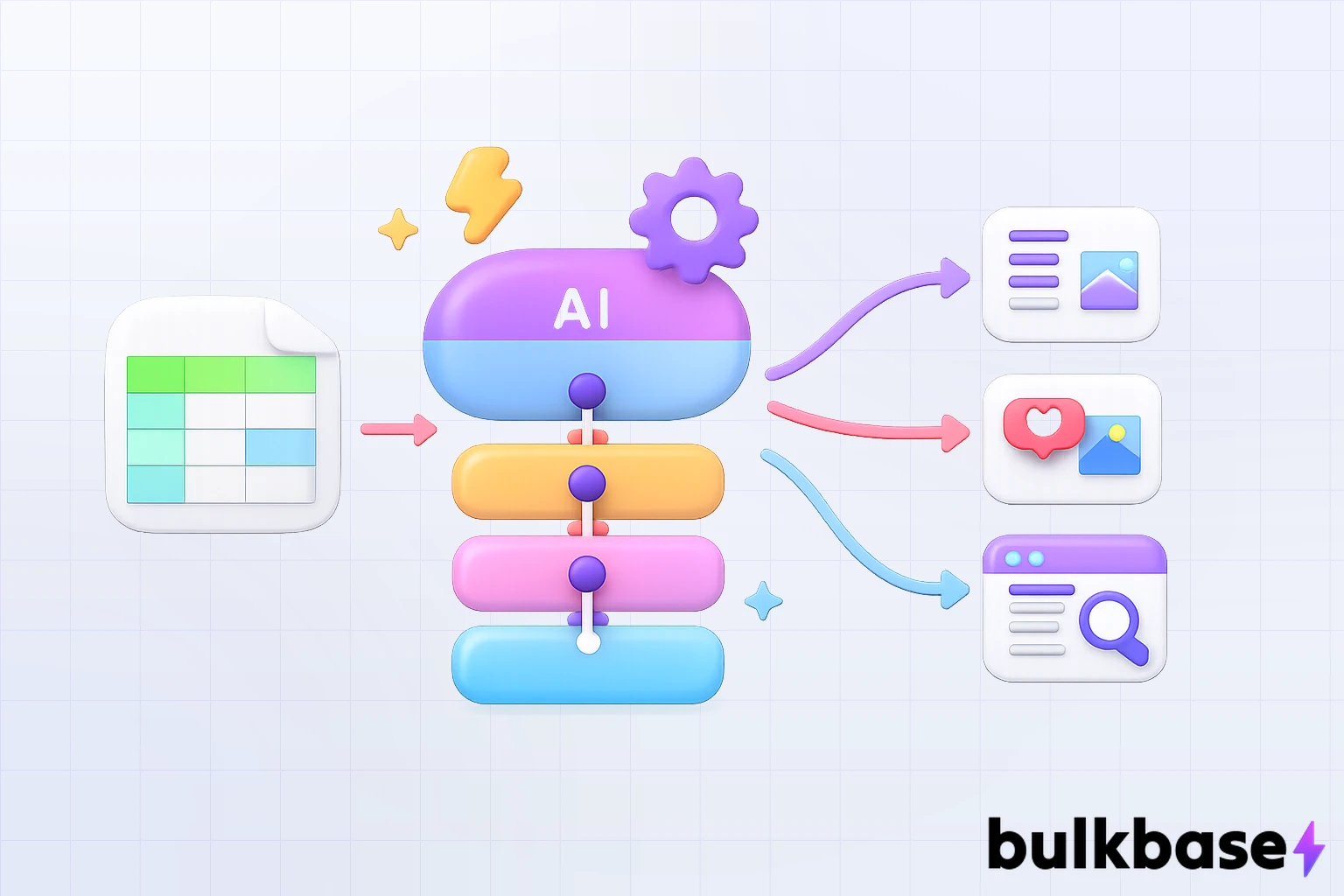
Most teams fail because they automate only the generation stage while leaving input collection and quality control as manual steps. The result is fast output that is inconsistent or off-brand. A properly structured pipeline standardizes all four stages.
The Five Content Types With the Strongest Automation ROI
Not every content type automates with equal results. These five deliver the highest return for agencies and in-house teams:
- Social media posts. Caption generation, platform-specific formatting, and scheduling from a single content brief or product feed.
- Blog posts and long-form articles. AI generates outlines and first drafts from a keyword or topic; editors review and approve before publishing.
- Product descriptions. For catalogs with hundreds or thousands of SKUs, bulk generation from a product CSV eliminates repetitive manual writing entirely.
- SEO landing pages. Programmatic generation of location, industry, or variant pages from structured templates at scale.
- Email copy. Segment-specific subject lines, body copy, and newsletter content generated from a campaign brief and a recipient data export.
Best Automated Content Creation Tools in 2026
1. Jasper AI: Best for SEO Blog Content
Best for: Content marketing teams focused on organic search and long-form articles.
Jasper has focused entirely on what it does well: creating search-optimized, long-form content. Built-in SEO recommendations and content scoring help align drafts with current ranking signals. You can generate a full article draft from a headline and target keyword in minutes.
Key features:
- Long-form document editor with SEO recommendations
- Brand voice training using uploaded style guides and examples
- Template library covering blog intros, outlines, conclusions, and product pages
- Integration with Surfer SEO for on-page optimization
Limitation: Jasper writes content but does not publish, schedule, or distribute it. It is a generation layer, not an end-to-end pipeline.
Pricing: From $39/seat/month (Creator) to $59/seat/month (Business). Check jasper.ai/pricing for current tiers.
2. AirOps: Best for Custom Programmatic Content Pipelines
Best for: Content operations teams and growth engineers who need to build custom, scalable pipelines from structured data.
AirOps sits at a different level of the stack. Rather than a pre-built writing tool, it gives you the infrastructure to build your own content pipelines by connecting LLMs to your data sources, CMS, and publishing systems through a visual workflow builder.
Key features:
- Visual no-code workflow builder connecting LLMs to databases and CMS platforms
- Programmatic SEO generation: ideal for location pages, product descriptions, and category content at volume
- Prompt versioning and workflow version control
- Custom AI app creation for internal content operations
Limitation: Requires more technical setup than plug-and-play writing tools. Less suited for teams wanting quick output without pipeline configuration.
Pricing: Tiered pricing. Check airops.com for current plans.
3. Writesonic: Best for High-Volume Multi-Format Content
Best for: SMBs and agencies needing broad content output across blog posts, ads, social, product copy, and email.
Writesonic covers more content formats than most tools in a single platform. The SEO-focused article writer includes SERP analysis to align output with what is currently ranking. Chatsonic adds an interactive research and ideation layer on top of the core writing engine.
Key features:
- Long-form article writer with built-in SERP analysis
- Chatsonic: conversational AI for research, brainstorming, and content planning
- Template library covering ads, email sequences, social captions, and product descriptions
- Team collaboration workspace for multi-client agencies
Pricing: Free plan available. Paid plans from approximately $16/month. Verify at writesonic.com/pricing.
4. bulkbase.ai: Best for Bulk Structured Content at Scale
Best for: E-commerce brands, multi-platform agencies, and catalog operations teams processing 100 to 1,000+ content items from structured CSV data.
bulkbase.ai is not a text editor or a single-prompt writing tool. It is a workflow engine for teams that have outgrown chat-based AI. When you are managing an e-commerce catalog with 500 product SKUs, generating 300 localized landing pages, or producing 1,000 social post variations from a product feed, chat interfaces become unmanageable. bulkbase.ai processes that volume in a single job.
You upload a CSV, design a no-code visual pipeline with chained prompt steps (where the output of one step feeds the next), and run the entire batch in one operation. Dynamic column injection (for example, {{ product_name }} or {{ target_keyword }}) ensures every row gets context-aware output rather than a generic template response.
Key features:
- Visual no-code workflow builder for chained AI prompt pipelines
- Batch processing with Instant (parallel) and Eco modes (50% cheaper using OpenAI Batch API)
- Dynamic column injection for context-aware, row-level content generation
- Bring Your Own Key (OpenAI) with zero markup on token costs
- Character length filters to enforce platform compliance (SEO limits, marketplace rules)
- Structured outputs with enforced CSV schemas for standardized data
- Version control, cell-level editing, and undo/revert for large datasets
For a detailed comparison of when to use bulkbase.ai versus a CSV cleaning tool, see our CleverCSV vs. bulkbase.ai comparison.
Best use cases: bulk product description generation, multilingual catalog content, programmatic SEO landing page data, social post variations from a product feed, and any workflow where the same structured prompt must be applied consistently across hundreds of rows.
Limitation: CSV-only import/export (no native JSON file upload). Built for batch/job-based processing, not real-time interactive streaming. Not a general-purpose chatbot.
Pricing: Fixed platform fee with zero markup on OpenAI token costs. See bulkbase.ai for current plans.
5. Sprout Social and Buffer: Best for Social Media Automation
Best for: Agencies managing social media across multiple client accounts with scheduling, analytics, and AI drafting in one platform.
Both Sprout Social and Buffer have embedded AI assistants that study historical analytics and suggest post ideas and copy based on what performs best for specific audiences. Scheduling, inbox management, and reporting are all built in.
Key features:
- AI caption drafting based on historical engagement data
- Multi-platform scheduling and publishing calendar
- Social inbox and community management
- Analytics and client reporting dashboards
Sprout Social's research shows teams using AI-assisted drafting reduce content production time by up to 50%.
Pricing: Sprout Social from $249/seat/month. Buffer has a free plan; paid plans start at $6/channel/month.
6. Copy.ai: Best for Campaign Copy and Social Captions
Best for: Marketing teams that need to rapidly generate campaign-specific copy across multiple formats from a single brief.
Paste a campaign brief into Copy.ai and get dozens of platform-specific variations: email subject lines, LinkedIn posts, Twitter captions, and ad headlines in one pass. Pair it with Canva Magic Studio to auto-resize and generate accompanying visuals for different channels.
Key features:
- Infobase: store brand voice, tone, and banned phrases as reusable context
- Multi-step workflow builder for repeatable campaign pipelines
- 90+ content templates covering every major marketing format
- Team workspace with shared templates and brand assets
Pricing: Free plan available. Paid plans from $49/month. Check copy.ai/pricing.
7. Lumen5: Best for Video Content Automation
Best for: Agencies and content teams that need to repurpose blog posts and written content into video for TikTok, YouTube Shorts, and LinkedIn.
Lumen5 converts text, blog URLs, or scripts into platform-native short-form videos with background footage, text overlays, and music, with minimal manual editing required.
Key features:
- Blog-to-video conversion from a URL or pasted text
- Automated scene generation with stock footage matching
- Brand kit for consistent fonts, colours, and logos across videos
- Batch video creation for multi-client workflows
Pricing: Free plan available. Paid plans from $19/month. Check lumen5.com.
8. FeedHive: Best for Data-Driven Social Scheduling
Best for: Agencies wanting AI-powered posting predictions combined with automated scheduling.
FeedHive predicts virality scores, recommends hashtags, and schedules content automatically based on historical engagement patterns. It is particularly useful for agencies managing high-frequency posting calendars across multiple accounts.
Key features:
- AI virality prediction score per post before scheduling
- Smart scheduling based on historical engagement data
- Hashtag recommendations and auto-insertion
- Content recycling: automatically re-queue evergreen posts
Pricing: From $19/month. Verify at feedhive.com.
Tool Comparison: Automated Content Creation Software
| Tool | Best For | Content Types | Bulk Processing | Starting Price |
|---|---|---|---|---|
| Jasper AI | SEO blog content | Blog, landing pages | Limited | $39/seat/month |
| AirOps | Custom pipelines | Blog, SEO pages, product | Yes (custom pipelines) | Custom |
| Writesonic | Multi-format volume | Blog, social, ads, email | Moderate | ~$16/month |
| bulkbase.ai | Bulk CSV pipelines | Product, SEO, social, multilingual | Yes (100 to 1,000+ rows) | Platform fee + your API key |
| Sprout Social | Social media management | Social | No | $249/seat/month |
| Copy.ai | Campaign copy | Social, ads, email | Limited | $49/month |
| Lumen5 | Video repurposing | Video | Batch video creation | $19/month |
| FeedHive | Social scheduling | Social | No | $19/month |
How to Build an Automated Content Creation Workflow
A content automation workflow has four stages: input, generation, quality control, and distribution. Most teams fail because they try to automate generation without standardizing the other three.
- Standardize your inputs first. Every consistent output starts with consistent input. Create CSV templates, content brief formats, or keyword lists that every piece of content flows through before reaching an AI tool.
- Map each content type to the right tool. Use a bulk pipeline tool like bulkbase.ai for product descriptions and programmatic SEO pages. Use a long-form writer like Jasper for editorial blog posts. Use Sprout Social or FeedHive for social scheduling. Do not force one tool to do everything poorly.
- Train each tool on your brand voice. Upload your best-performing content, brand guidelines, and examples of banned phrases. The output quality difference between a trained and untrained AI model is significant.
- Build quality gates before publishing. Automate drafts, not final content. A quick human review step to catch factual errors, tone issues, or inaccurate claims costs minutes and prevents reputational damage.
- Close the feedback loop. Connect your analytics (Google Search Console, social dashboards) to understand which automated content performs and which does not. Use that data to refine prompts and templates monthly.
Real-World Results
TikTok Symphony Creative Studios
TikTok's suite lets advertisers generate videos from text prompts, build digital avatars, and auto-produce variations for A/B tests. Early adopters cut production time by 50%, according to Reuters.
B2B Agency Doubles LinkedIn Engagement
A mid-size agency used Copy.ai to generate 100 LinkedIn posts from a single white paper. Engagement rates doubled, and the client saw a 30% increase in demo requests within six weeks.
E-Commerce Team Eliminates Manual Description Writing
A multi-channel retailer with 800 SKUs used a structured CSV pipeline to generate and translate product descriptions across four languages in one batch job. The entire catalog update, previously a six-week manual process, completed in under three hours.
Recruitment Agency Cuts Content Turnaround
By pairing FeedHive with structured prompt templates, a recruiting agency now converts every new job description into a full week of employer-branding posts in less than an hour, freeing recruiters to focus on candidate outreach.
Related Resources
If you manage e-commerce clients, our guide on leveraging AI to automate product descriptions shows how spreadsheet-to-content pipelines work at the SKU level. For agencies handling product data across multiple platforms, our guide to top AI tools for content automation in agencies covers the full multi-channel toolstack. For teams working with messy source data before generation even begins, the CleverCSV vs. bulkbase.ai comparison explains when to clean your CSV first versus going straight to AI enrichment.
Final Thoughts
AI will not replace your strategists or editors. It will replace agencies that still spend 80% of production time on drafting. The goal is not to remove humans from the content process; it is to move them out of repetitive drafting and into the decisions that actually require judgment: strategy, quality approval, and client relationships.
Start with one content type, build a process around it, measure results, and expand from there.
Get started for Free
Every trial starts with a free guided demo, what are you waiting for.
Frequently Asked Questions about Automated Content Creation
What is the difference between content creation automation and AI writing tools?
AI writing tools generate a single piece of content from a prompt. Content creation automation is a broader pipeline: it connects input sourcing, generation, formatting, quality control, and distribution into a repeatable workflow. Generation is one step inside automation, not the whole thing.
Will automated content hurt my Google rankings?
Google's guidance focuses on quality and usefulness, not authorship. Generic AI output that adds no real value will underperform. Well-structured, fact-checked content that genuinely answers search intent can rank as well as manually written content, regardless of how it was produced.
How many pieces of content can I automate at once?
It depends on the tool. Chat-based AI tools work well for 1 to 50 items. When you need 100 to 1,000+ items processed in one job with consistent formatting and schema compliance, a batch pipeline tool like bulkbase.ai is the right fit. The manual chat approach does not scale beyond a few dozen rows before quality and consistency break down.
Can I automate social media posting entirely?
Tools allow 100% automated posting, but a human-in-the-loop review step is strongly recommended. It takes minutes and prevents tone errors, factual mistakes, or contextually inappropriate posts from reaching your audience.
How do I maintain brand voice across AI-generated content?
Use custom system prompts that include examples of your best-performing, on-brand content along with explicit rules on tone, vocabulary, and phrases to avoid. Platforms like bulkbase.ai let you embed these prompt configurations directly into your pipeline so every output row follows the same brand rules automatically.
What is the best content creation automation tool for agencies?
It depends on the agency's primary content type. For social media management, Sprout Social or Buffer. For long-form SEO blog content, Jasper AI. For bulk structured content from a product catalog or CSV data, bulkbase.ai. Most high-output agencies use a combination of two or three specialized tools rather than one generalist platform. See our full guide to AI tools for content automation in agencies for a deeper breakdown.